

Generovanie silných hesiel je základnou súčasťou kybernetickej bezpečnosti. Ak často vytváraš nové heslá, určite oceniš nástroj, ktorý ti ušetrí čas a zabezpečí dostatočnú úroveň ochrany. V tomto príspevku ti predstavím PowerShell skript, ktorý ti umožní vygenerovať heslo presne podľa tvojich potrieb. Tento generátor hesiel v Powershell Ti umožní nastaviť počet znakov, zahrúť veľké písmená, čísla, špeciálne znaky a dokonca vylúčiť mätúce znaky.
Ako funguje generátor ?
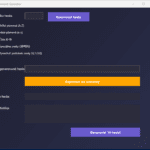
Generátor je postavený na PowerShell s využitím XAML kódu pre vytvorenie moderného grafického rozhrania (GUI). Používateľ si môže nastaviť požiadávky na heslo, ako je dĺžka hesla, zahrnutie veľkých a malých písmen, čísel a špeciálnych znakov. Generátor poskytuje aj možnosť vylúčiť podobné znaky ako „I“, „l“, „1“, „O“ a „0“, ktoré sú často mätúce.
|
1 2 3 4 5 6 7 8 9 10 11 12 13 14 15 16 17 18 19 20 21 22 23 24 25 26 27 28 29 30 31 32 33 34 35 36 37 38 39 40 41 42 43 44 45 46 47 48 49 50 51 52 53 54 55 56 57 58 59 60 61 62 63 64 65 66 67 68 69 70 71 72 73 74 75 76 77 78 79 80 81 82 83 84 85 86 87 88 89 90 91 92 93 94 95 96 97 98 99 100 101 102 103 104 105 106 107 108 109 110 111 112 113 114 115 116 117 118 119 120 121 122 123 124 125 126 127 128 129 130 131 132 133 134 135 136 137 138 139 140 141 142 143 144 145 146 147 148 149 150 151 152 153 154 155 156 157 158 159 160 161 162 163 164 165 166 167 168 169 170 171 172 173 174 175 176 177 |
[xml]$XAML = @" <Window xmlns="http://schemas.microsoft.com/winfx/2006/xaml/presentation" xmlns:x="http://schemas.microsoft.com/winfx/2006/xaml" Title="Password Generator" Height="650" Width="750" Background="#1E1E2F" Foreground="White" WindowStartupLocation="CenterScreen" FontFamily="Segoe UI"> <Grid> <Grid.Background> <LinearGradientBrush StartPoint="0,0" EndPoint="1,1"> <GradientStop Color="#1e1e2f" Offset="0" /> <GradientStop Color="#2b2f4c" Offset="1" /> </LinearGradientBrush> </Grid.Background> <!-- Dĺžka hesla --> <Label Content="Dĺžka hesla:" HorizontalAlignment="Left" Margin="20,20,0,0" VerticalAlignment="Top" FontSize="14" Foreground="White"/> <TextBox Name="PasswordLength" HorizontalAlignment="Left" Margin="150,20,0,0" VerticalAlignment="Top" Width="80" Height="30" Background="#2C2C3C" Foreground="White" BorderBrush="Gray" CaretBrush="White" Padding="5" FontSize="14"/> <Button Content="Generovať heslo" HorizontalAlignment="Left" Margin="250,20,0,0" VerticalAlignment="Top" Width="180" Height="40" Name="GenerateButton" Background="#6A5ACD" Foreground="White" BorderThickness="0" FontWeight="Bold" FontSize="14"/> <!-- CheckBoxy --> <CheckBox Content="Veľké písmená (A-Z)" HorizontalAlignment="Left" Margin="20,70,0,0" VerticalAlignment="Top" Name="UppercaseCheck" IsChecked="True" FontSize="12" Foreground="White"/> <CheckBox Content="Malé písmená (a-z)" HorizontalAlignment="Left" Margin="20,100,0,0" VerticalAlignment="Top" Name="LowercaseCheck" IsChecked="True" FontSize="12" Foreground="White"/> <CheckBox Content="Čísla (0-9)" HorizontalAlignment="Left" Margin="20,130,0,0" VerticalAlignment="Top" Name="NumbersCheck" IsChecked="True" FontSize="12" Foreground="White"/> <CheckBox Content="Špeciálne znaky (!@#$%)" HorizontalAlignment="Left" Margin="20,160,0,0" VerticalAlignment="Top" Name="SpecialCheck" FontSize="12" Foreground="White"/> <CheckBox Content="Vynechať podobné znaky (I,l,1,O,0)" HorizontalAlignment="Left" Margin="20,190,0,0" VerticalAlignment="Top" Name="ExcludeSimilarCheck" FontSize="12" Foreground="White"/> <!-- Výstup hesla --> <Label Content="Vygenerované heslo:" HorizontalAlignment="Left" Margin="20,250,0,0" VerticalAlignment="Top" FontSize="14" Foreground="White"/> <TextBox Name="GeneratedPassword" HorizontalAlignment="Left" Margin="150,250,0,0" VerticalAlignment="Top" Width="500" Height="30" Background="#2C2C3C" Foreground="White" BorderBrush="Gray" CaretBrush="White" Padding="5" IsReadOnly="True" FontSize="14"/> <!-- Kopírovať heslo --> <Button Content="Kopírovať do schránky" HorizontalAlignment="Left" Margin="150,300,0,0" VerticalAlignment="Top" Width="500" Height="40" Name="CopyButton" Background="#FFA500" Foreground="White" BorderThickness="0" FontWeight="Bold" FontSize="14"/> <!-- Sila hesla --> <Label Content="Sila hesla:" HorizontalAlignment="Left" Margin="20,370,0,0" VerticalAlignment="Top" FontSize="14" Foreground="White"/> <TextBlock Name="PasswordStrength" HorizontalAlignment="Left" Margin="150,370,0,0" VerticalAlignment="Top" Width="500" Height="30" Background="#2C2C3C" Foreground="White" Padding="5" FontSize="14"/> <!-- Štatistika --> <Label Content="Štatistika:" HorizontalAlignment="Left" Margin="20,420,0,0" VerticalAlignment="Top" FontSize="14" Foreground="White"/> <TextBlock Name="PasswordStats" HorizontalAlignment="Left" Margin="150,420,0,0" VerticalAlignment="Top" Width="500" Height="80" Background="#2C2C3C" Foreground="White" Padding="5" TextWrapping="Wrap" FontSize="12"/> <!-- Generovať viac hesiel --> <Button Content="Generovať 10 hesiel" HorizontalAlignment="Left" Margin="350,520,0,0" VerticalAlignment="Top" Width="300" Height="40" Name="GenerateBatchButton" Background="#6A5ACD" Foreground="White" BorderThickness="0" FontWeight="Bold" FontSize="14"/> </Grid> </Window> "@ $reader = (New-Object System.Xml.XmlNodeReader $XAML) $Window = [Windows.Markup.XamlReader]::Load($reader) # Prepojenie prvkov $PasswordLength = $Window.FindName("PasswordLength") $GenerateButton = $Window.FindName("GenerateButton") $UppercaseCheck = $Window.FindName("UppercaseCheck") $LowercaseCheck = $Window.FindName("LowercaseCheck") $NumbersCheck = $Window.FindName("NumbersCheck") $SpecialCheck = $Window.FindName("SpecialCheck") $ExcludeSimilarCheck = $Window.FindName("ExcludeSimilarCheck") $GeneratedPassword = $Window.FindName("GeneratedPassword") $CopyButton = $Window.FindName("CopyButton") $PasswordStrength = $Window.FindName("PasswordStrength") $PasswordStats = $Window.FindName("PasswordStats") $GenerateBatchButton = $Window.FindName("GenerateBatchButton") # Pôvodné funkcie a udalosti ostávajú nezmenené function Generate-Password { param ( [int]$Length = 12, [bool]$IncludeUppercase, [bool]$IncludeLowercase, [bool]$IncludeNumbers, [bool]$IncludeSpecial, [bool]$ExcludeSimilar ) $chars = @() if ($IncludeUppercase) { $chars += "ABCDEFGHIJKLMNOPQRSTUVWXYZ".ToCharArray() } if ($IncludeLowercase) { $chars += "abcdefghijklmnopqrstuvwxyz".ToCharArray() } if ($IncludeNumbers) { $chars += "0123456789".ToCharArray() } if ($IncludeSpecial) { $chars += "!@#$%^&*()".ToCharArray() } if ($ExcludeSimilar) { $chars = $chars -ne "I" -ne "l" -ne "1" -ne "O" -ne "0" } if ($chars.Count -eq 0) { return "Vyberte aspoň jednu možnosť!" } -join ((1..$Length) | ForEach-Object { $chars | Get-Random }) } function Analyze-Password { param ( [string]$Password ) $length = $Password.Length $uppercase = ($Password -cmatch "[A-Z]").Length $lowercase = ($Password -cmatch "[a-z]").Length $numbers = ($Password -cmatch "\d").Length $special = ($Password -cmatch "[!@#$%^&*()]").Length $uniqueChars = ($Password.ToCharArray() | Sort-Object -Unique).Count # Výpočet entropie $charSpace = 0 if ($uppercase -gt 0) { $charSpace += 26 } if ($lowercase -gt 0) { $charSpace += 26 } if ($numbers -gt 0) { $charSpace += 10 } if ($special -gt 0) { $charSpace += 10 } $entropy = [math]::Log($charSpace, 2) * $length $strength = "Slabé" if ($length -ge 16 -and $uppercase -gt 0 -and $lowercase -gt 0 -and $numbers -gt 0 -and $special -gt 0) { $strength = "Veľmi silné" } elseif ($entropy -ge 60) { $strength = "Silné" } elseif ($entropy -ge 40) { $strength = "Stredné" } return @{ Strength = $strength Stats = "Dĺžka: $length, Veľké písmená: $uppercase, Malé písmená: $lowercase, Čísla: $numbers, Špeciálne znaky: $special, Unikátne znaky: $uniqueChars, Entropia: $entropy-bit" } } $GenerateButton.Add_Click({ if ([int]::TryParse($PasswordLength.Text, [ref]$null) -and $PasswordLength.Text -gt 0) { $password = Generate-Password -Length $PasswordLength.Text ` -IncludeUppercase $UppercaseCheck.IsChecked ` -IncludeLowercase $LowercaseCheck.IsChecked ` -IncludeNumbers $NumbersCheck.IsChecked ` -IncludeSpecial $SpecialCheck.IsChecked ` -ExcludeSimilar $ExcludeSimilarCheck.IsChecked $GeneratedPassword.Text = $password $analysis = Analyze-Password -Password $password $PasswordStrength.Text = $analysis.Strength $PasswordStats.Text = $analysis.Stats } else { [System.Windows.MessageBox]::Show("Zadajte platnú dĺžku hesla!", "Chyba") } }) $GenerateBatchButton.Add_Click({ if ([int]::TryParse($PasswordLength.Text, [ref]$null) -and $PasswordLength.Text -gt 0) { $passwords = @() for ($i = 1; $i -le 10; $i++) { $passwords += Generate-Password -Length $PasswordLength.Text ` -IncludeUppercase $UppercaseCheck.IsChecked ` -IncludeLowercase $LowercaseCheck.IsChecked ` -IncludeNumbers $NumbersCheck.IsChecked ` -IncludeSpecial $SpecialCheck.IsChecked ` -ExcludeSimilar $ExcludeSimilarCheck.IsChecked } $batchWindow = New-Object Windows.Window $batchWindow.Title = "Vygenerované heslá" $batchWindow.Width = 500 $batchWindow.Height = 400 $batchWindow.Background = [Windows.Media.Brushes]::Black $textBox = New-Object System.Windows.Controls.TextBox $textBox.Text = ($passwords -join "`n") $textBox.Margin = "10" $textBox.VerticalScrollBarVisibility = "Auto" $textBox.HorizontalAlignment = "Stretch" $batchWindow.Content = $textBox $batchWindow.ShowDialog() } else { [System.Windows.MessageBox]::Show("Zadajte platnú dĺžku hesla!", "Chyba") } }) $CopyButton.Add_Click({ [System.Windows.Clipboard]::SetText($GeneratedPassword.Text) [System.Windows.MessageBox]::Show("Heslo bolo skopírované do schránky.", "Kopírovanie") }) $Window.ShowDialog() | Out-Null |
Vysvetlenie kódu
1. Grafické rozhranie (XAML)
Väčšina XAML kódu definuje vzhľad a rozloženie grafického rozhrania. Základné prvky zahŕňajú:
- TextBox – vstup pre dĺžku hesla.
- Button – tlačidlo na generovanie hesla a tlačidlo na kopírovanie hesla do schránky.
- CheckBox – možnosť zahrnutia veľkých, malých písmen, čísel a špeciálnych znakov.
- Label – popisy pre jednotlivé prvky GUI.
2. Prepojenie PowerShell s GUI
PowerShell prepojuje XAML prvky s premennými, ako sú $PasswordLength, $GenerateButton, $UppercaseCheck atď. Týmto spôsobom PowerShell dokáže reagovať na kliknutia a vstupy používateľa.
3. Funkcia Generate-Password
Funkcia generuje heslo na základe parametrov od používateľa. Zahŕňa možnosť nastaviť dĺžku hesla a zahrnuté znaky. Ak používateľ zaškrtnę „Zahrnúť veľké písmená“, prídá sa do možných znakov séria „A-Z“.
4. Funkcia Analyze-Password
Funkcia analyzuje vygenerované heslo a poskytuje informácie o jeho sile. Na určenie sily hesla používa entropiu, čo je matematický model určujúci náročnosť rozšifrovania hesla.
5. Tlačidlá a udalosti
Tlačidlo na generovanie hesla volá funkciu Generate-Password, tlačidlo na kopírovanie hesla uloží heslo do schránky. Tlačidlo na hromadné generovanie vygeneruje 10 hesiel naraz, ktoré zobrazí v novom okne.
Čo môžeš prispôsobiť v kóde ?
- Dizajn GUI – Možete upraviť farby, písma a štýl rozhrania.
- Parametre hesla – Pridajte možnosť špecifikácie špeciálnych znakov.
- Počet hesiel – Prispôsobte generáciu viacerých hesiel naraz.
Plusy a mínusy
Plusy
- Intuitívne a jednoduché rozhranie.
- Možnosť generovať 10 hesiel naraz.
- Prispôsobiteľné parametre hesla.
- Export hesla do schránky.
Mínusy
- Chýbajúce možnosť uložiť heslá do súboru.
- Nemožnosť definovať vlastné znaky na vylúčenie.
- Potreba PowerShell 5.0+.
Využitie
- IT oddelenia – Rýchle generovanie silných hesiel.
- Osobné používanie – Pre každého, kto chce jedinečné a silné heslá.
- Bezpečnostné audity – Testovanie entropie hesiel.
Záver
PowerShell password generátor je praktický nástroj na rýchle a ľahké vytváranie silných hesiel. Ponúka možnosť prispôsobiť dĺžku, zahrňané znaky a dokonca vylúčiť mätúce znaky. Súčasne poskytuje prehľadné štatistiky sily hesla. Tento nástroj je užitočný pre IT administrátorov ale aj pre bežných používateľov, ktorý chcú používať bezpečné heslá.